
Complete Guide to Setting Up PCB Administrator on MyTax Portal for e-PCB Plus
With the launch of e-PCB Plus, employers now have a more efficient way to manage PCB (Potongan Cukai Bulanan) submissions directly via the MyTax Portal. This guide walks you through the process of setting up your PCB Administrator role in MyTax, making it easier to oversee and handle PCB payments for your employees.
By following these simple steps, you’ll be able to configure your account as a PCB Administrator, enabling smooth access to e-PCB Plus and ensuring compliance with your PCB obligations.
Why Set Up a PCB Administrator for e-PCB Plus System?
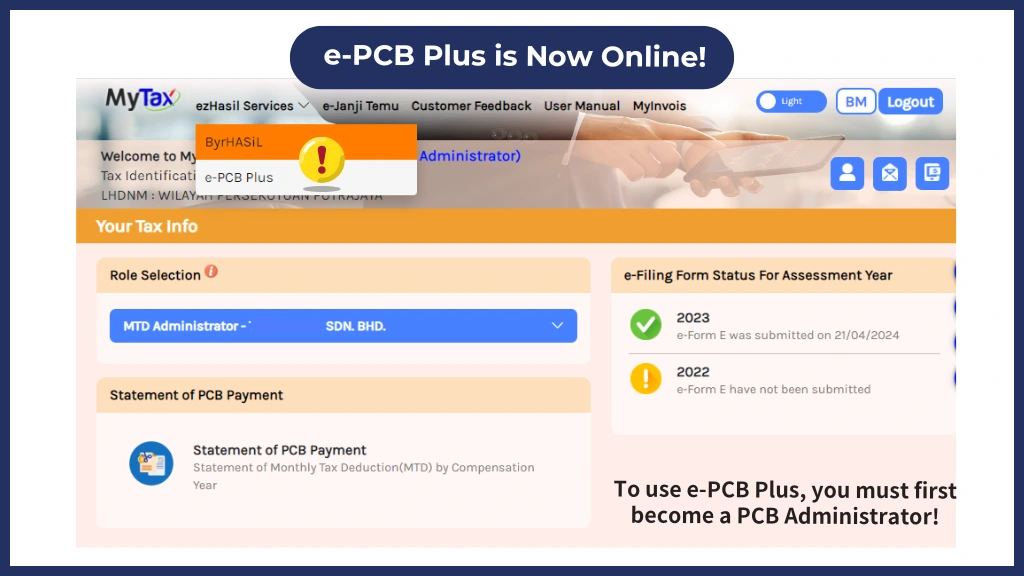
The PCB Administrator role in MyTax Portal is essential for employers using e-PCB Plus. By appointing a PCB Administrator, employers can streamline the process of submitting and managing monthly tax deductions, ensuring accuracy and compliance with Malaysian tax laws.
Step-by-Step Guide to Setting Up PCB Administrator on MyTax Portal
Browse MyTax Portal
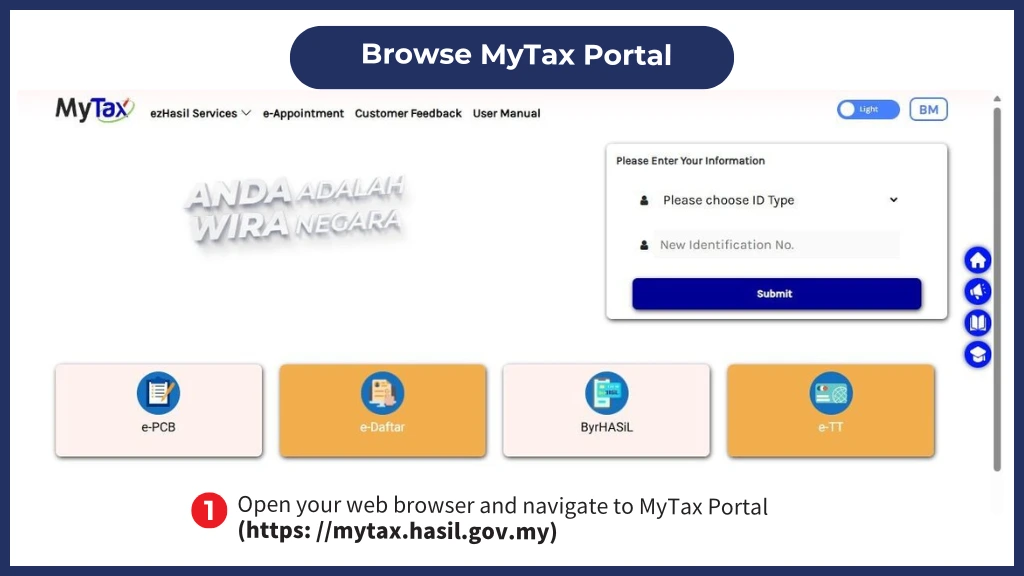
To begin, open your internet browser and navigate to the MyTax Portal at https://mytax.hasil.gov.my. This portal is the official site for managing tax-related submissions, making it the primary platform for all e-PCB Plus activities.
Select Your ID Type
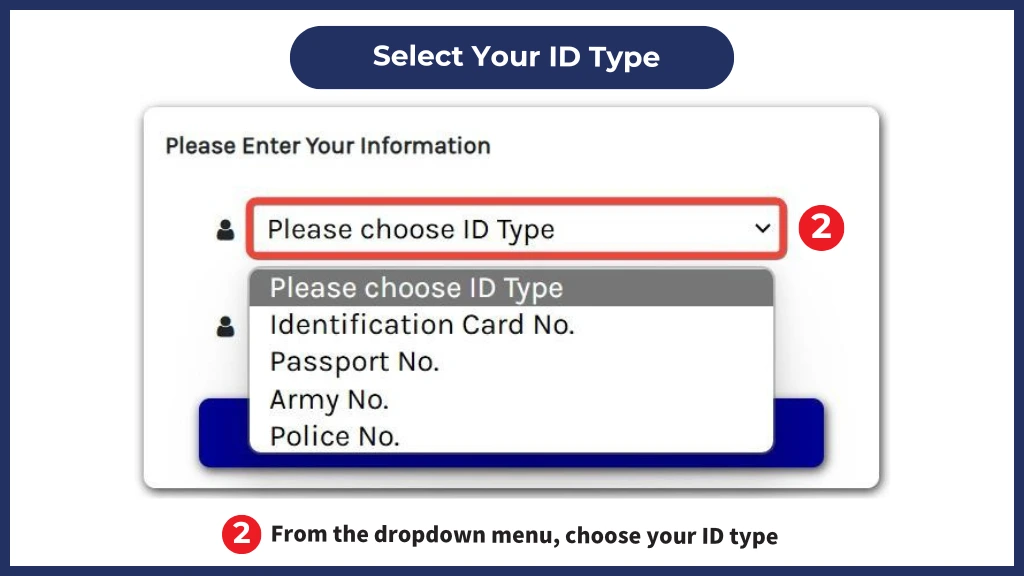
Once you’re on the MyTax login page, you’ll need to identify yourself by selecting an ID type. Choose the relevant identification type from the dropdown menu, such as:
- Identification Card No. (MyKad for Malaysian citizens)
- Passport No. (for foreign individuals)
- Army No. or Police No. (for relevant officials)
Enter Your User ID
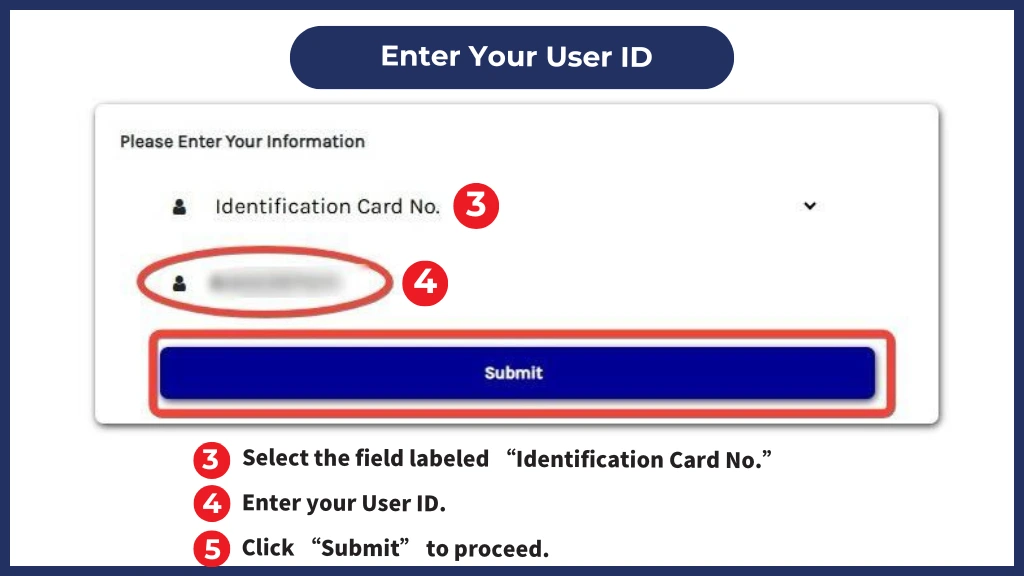
Select the appropriate field for your ID type and enter your User ID accurately. Once entered, click on “Submit” to proceed.
Enter Your Password
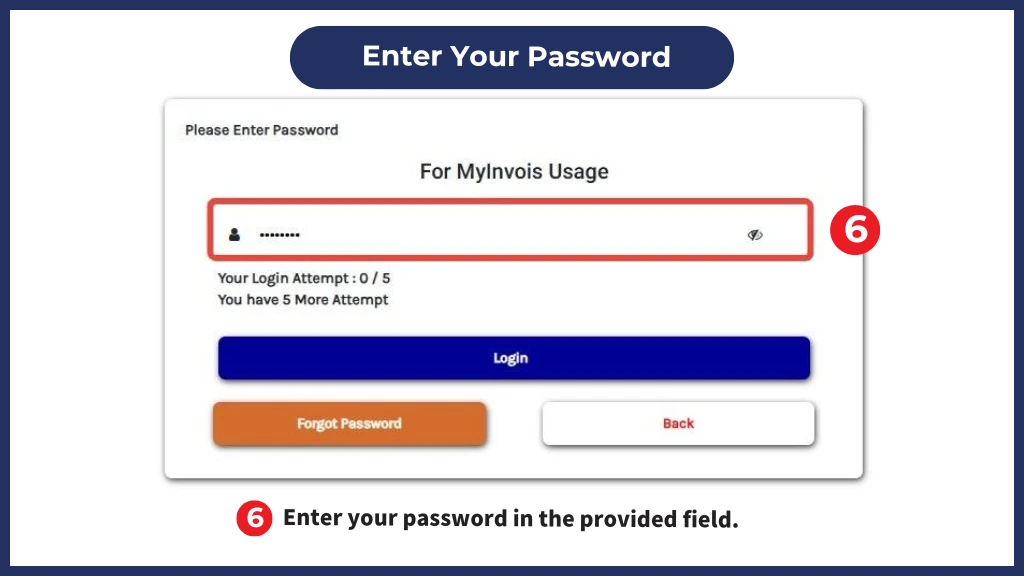
You’ll then be prompted to enter your password. Input your password in the designated field and click “Login” to proceed. Note that this login step is crucial for accessing MyTax functionalities.
Login MyTax Portal
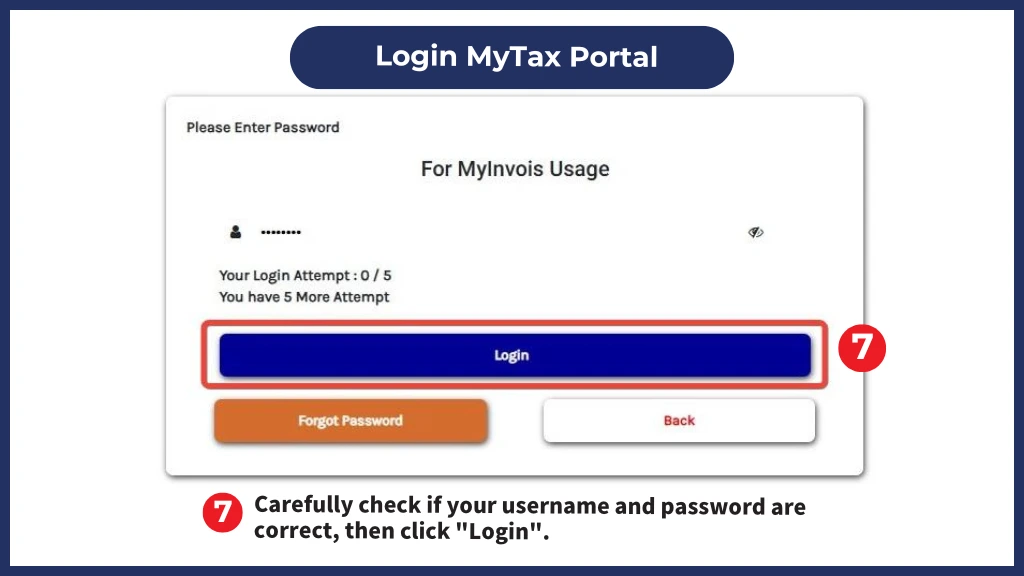
Carefully check if your username and password are correct, then click “Login”.
Role Selection
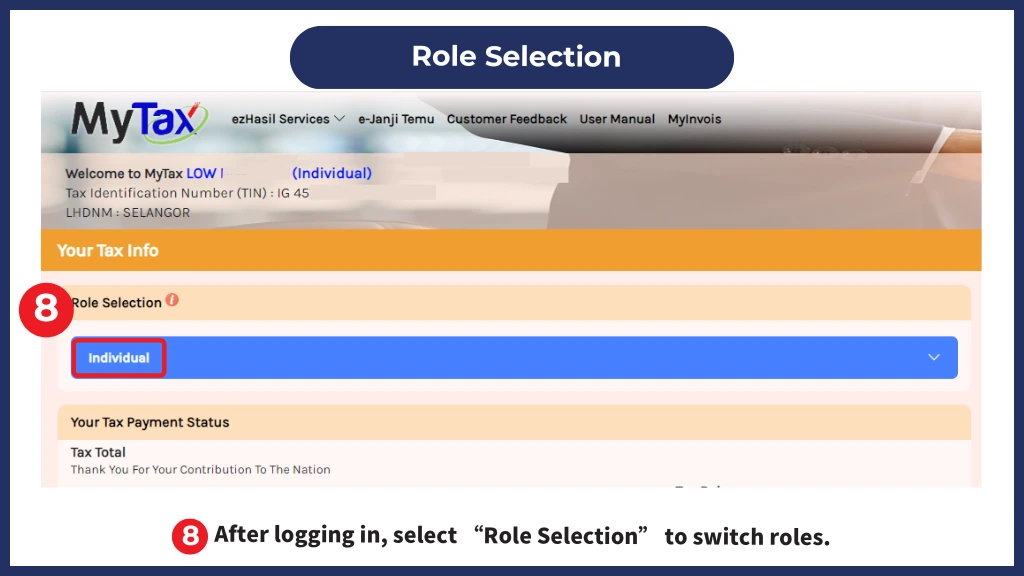
Upon successful login, you’ll see various options for role selection. This feature allows users with multiple tax-related roles to manage them in one place. Click on “Role Selection” to proceed.
Choose Employer Role
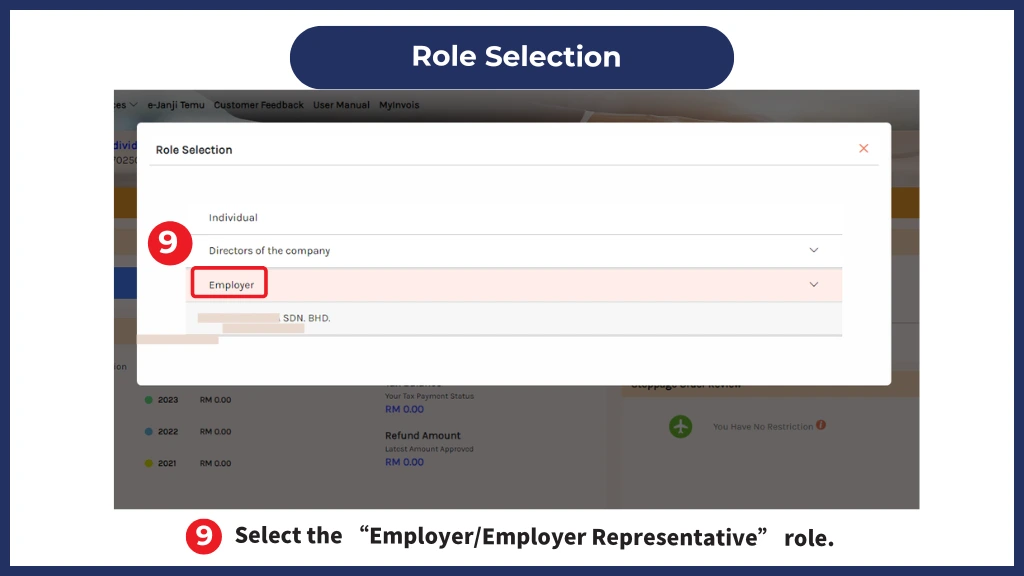
Next, you’ll need to select the “Employer” or “Employer Representative” role from the dropdown menu. This ensures that your MyTax account is operating in the correct mode for PCB submissions.
Confirm the “Employer” Role
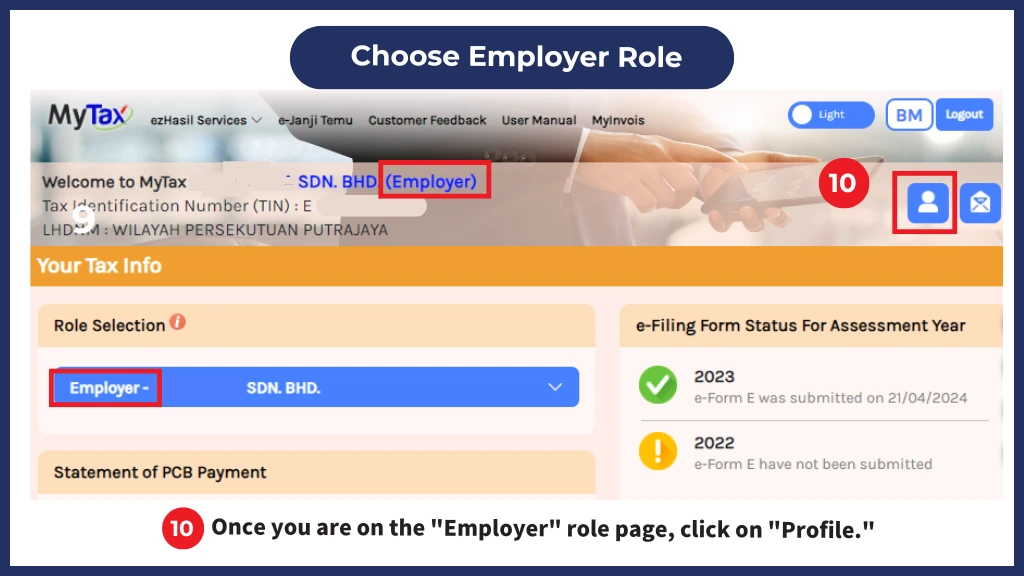
To avoid any errors, double-check that you are indeed logged in under the “Employer” role view. Once confirmed, click on the “Profile” icon. This step is essential as it provides access to settings specific to employers.
Access the MTD Administrator Section
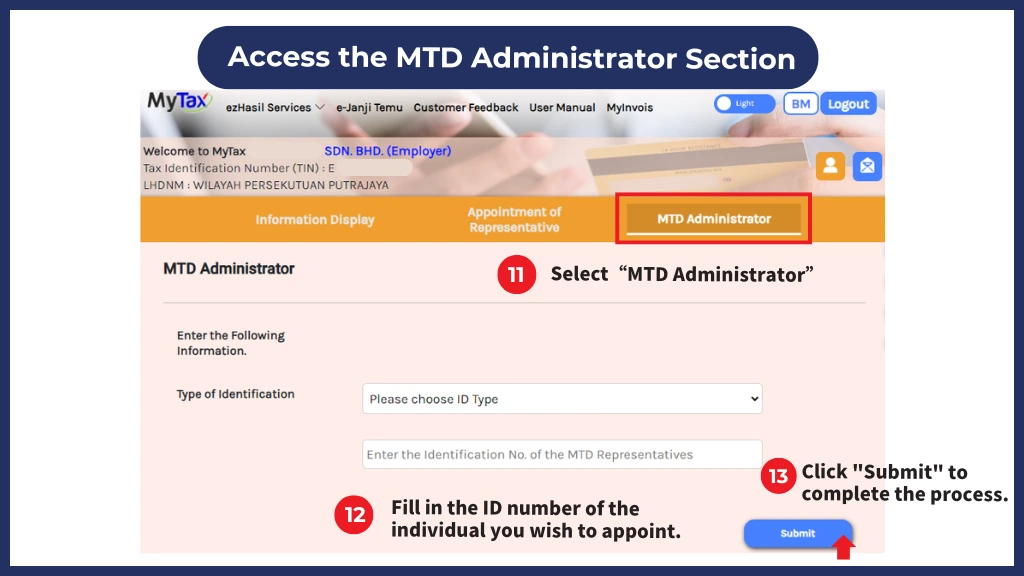
In the upper menu bar, locate and select the “MTD Administrator” tab. This section is dedicated to configuring Monthly Tax Deduction (MTD) administration for e-PCB submissions, where you’ll assign or appoint your PCB Administrator.
Enter Identification Details for PCB Administrator Appointment
In the MTD Administrator section, you’ll need to enter the identification details of the person you are appointing as the PCB Administrator. Choose the relevant type of identification from the dropdown menu and enter the identification number accurately.
Submit the Appointment
Once all necessary details are entered, click the “Submit” button to confirm the setup. After submission, the assigned PCB Administrator will have the required permissions to manage and submit PCB payments through e-PCB Plus.
Important Notes
Configuring your MyTax account as a PCB Administrator is crucial for employers using e-PCB Plus, as it allows for seamless submission and tracking of employee tax deductions. By following the steps above, you can ensure that your account is properly set up for managing PCB responsibilities and remain compliant with tax obligations.
Final Thoughts with e-PCB Plus System
With MyTax Portal’s e-PCB Plus feature, handling PCB payments has never been easier. As an employer, ensuring that your PCB Administrator role is set up correctly is a key step towards efficient payroll management. By completing this setup, you’ll save time, and ensure compliance with the tax authorities. Follow these steps to get started today and streamline your PCB submission process on the MyTax Portal.